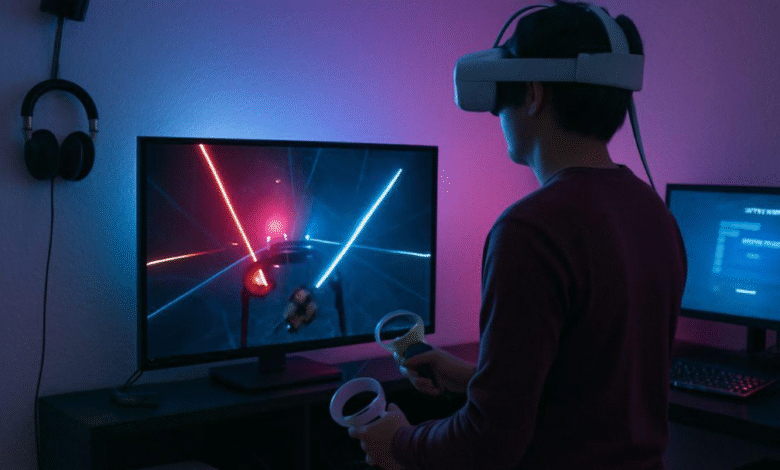
Creating a multiplayer VR game means connecting virtual spaces with real-world interactions in a way that feels effortless. For players to stay immersed, the experience needs to be smooth, responsive, and low-latency — even when things get busy. That’s why choosing the right networking solution is so important.
To successfully develop VR game experiences that support multiplayer, developers need to choose the right networking tools from the start. The networking layer is what ensures real-time responsiveness, low latency, and smooth interactions between players in shared virtual spaces.
Whether you’re building competitive arenas or collaborative learning platforms, the tech stack you choose directly impacts the experience. That’s why understanding the differences between Photon Fusion, Normcore, and Netcode is essential—they each offer unique benefits depending on the scope and complexity of your project.
The Importance of Seamless Interactions
In VR, every millisecond counts. The human brain is remarkably sensitive to delays in sensory feedback, and even a slight mismatch between physical movements and virtual responses can disrupt immersion. A seamless interaction ensures that players feel truly present in the virtual world, which is critical for a captivating experience.
Maintaining Immersion and Fluid Gameplay
Immersion is not just about graphics or audio quality; it’s about how naturally and fluidly a player can interact with the virtual environment. Networking solutions must synchronize actions across multiple players with minimal latency to maintain this fluidity. If one player’s actions lag, it breaks the collective experience for all participants.
Handling High Loads and Real-Time Data Transmission
As more players join a VR multiplayer game, the amount of data transmitted increases exponentially. Effective network solutions must handle this load without compromising performance. Efficient data transmission is crucial to ensuring that every action, movement, and interaction is accurately represented in real-time, maintaining the integrity of the game.
Photon Fusion: Power and Flexibility
Photon Fusion is a formidable contender in the networking landscape, known for its versatility and robust features. It offers developers the flexibility to choose between different networking models, such as client-hosted, dedicated server, and hybrid solutions.
Networking Models: Client-hosted, Dedicated Server, and Hybrid
Photon Fusion gives developers the freedom to select from various networking architectures. Client-hosted models are suitable for smaller games or sessions, while dedicated servers offer stability and performance for large-scale applications. Hybrid models provide a balance, allowing developers to optimize resources based on their specific needs.
Code Sample: Setting Up Photon Fusion
Below is a basic setup for a Photon Fusion VR multiplayer experience:
using Fusion; using UnityEngine;
public class VRGameManager : NetworkBehaviour { public override void Spawned() { if (Object.HasInputAuthority) { Camera.main.transform.SetParent(transform); Camera.main.transform.localPosition = Vector3.zero; } } }
This simple setup demonstrates how to integrate Photon Fusion into a VR project, ensuring that the main camera follows the player’s movements. The code highlights the ease with which developers can implement core features of Photon Fusion in their games.
Advanced Features: Lag Compensation and Networked Physics
Photon Fusion excels in scenarios requiring high scalability and customized server logic. It supports advanced features like lag compensation and networked physics, making it a popular choice for developers aiming for high performance. These features allow for precise control over game mechanics, enhancing the overall player experience.
Normcore: Simplicity and Ease of Use
Normcore, developed by NormalVR, is tailored specifically for VR, offering simplicity and ease of use. It’s designed to be intuitive, allowing developers to focus more on game design rather than the intricacies of networking.
Intuitive Design for VR Developers
Normcore’s design philosophy centers around ease of use. Its intuitive API minimizes the learning curve for Virtual Reality Developers, allowing them to focus on creating engaging content rather than dealing with complex networking code. This simplicity is particularly beneficial for small teams or indie developers.
Code Sample: Creating a Basic Normcore Session
using Normal.Realtime; using UnityEngine;
public class VRSession : MonoBehaviour { private Realtime _realtime;
void Start() { _realtime = GetComponent(); _realtime.Connect(); }
}
This code snippet illustrates how easily a basic Normcore session can be set up. By connecting to the Realtime component, developers can quickly establish a multiplayer session, enabling seamless player interactions.
Real-Time Audio and Video Streaming Capabilities
Normcore simplifies the process of synchronizing objects and player states across clients, providing a straightforward API that’s perfect for small to medium-sized VR projects. Its real-time audio and video streaming capabilities are particularly advantageous for social VR applications, where communication is key to the experience.
Netcode for GameObjects: Unity’s Native Solution
Netcode for GameObjects, formerly known as MLAPI, is Unity’s official networking solution. It’s deeply integrated with the Unity ecosystem, offering a seamless experience for developers already familiar with Unity’s workflows.
Deep Integration with the Unity Ecosystem
Being a native Unity solution, Netcode for GameObjects benefits from seamless integration with the Unity editor and tools. This integration reduces the overhead involved in setting up a networked game, allowing developers to take advantage of Unity’s powerful features and workflows with minimal friction.
Code Sample: Implementing Netcode for GameObjects
using Unity.Netcode; using UnityEngine;
public class VRPlayer : NetworkBehaviour { public override void OnNetworkSpawn() { if (IsLocalPlayer) { Camera.main.transform.SetParent(transform); Camera.main.transform.localPosition = Vector3.zero; } } }
The code showcases how developers can implement networked player behavior using Netcode for GameObjects. By checking for local player authority, developers can ensure that each player’s camera follows them accurately within the VR environment.
Support for Server and Client Authority Models
Netcode for GameObjects supports both server and client authority models, making it versatile for various game architectures. Developers can choose the model that best fits their game design, providing flexibility in how game logic is managed and executed across the network.
Latency Benchmarks: A Crucial Factor
Latency is a critical consideration in VR multiplayer experiences, as even minor delays can break immersion and lead to motion sickness. Let’s examine the latency benchmarks for each networking solution:
Photon Fusion: Low Latency and High Scalability
Photon Fusion is known for its low latency and efficient handling of large numbers of simultaneous connections. This makes it an excellent choice for high-performance applications where quick response times are crucial to the player experience. Its scalability ensures that even as player numbers grow, performance remains consistent.
Normcore: Optimized for Social Interactions
While optimized for ease of use, Normcore also achieves commendable latency benchmarks, particularly in applications focusing on social interactions and audio/video streaming. Its architecture is designed to prioritize real-time communication, ensuring that players can interact smoothly and naturally.
Netcode for GameObjects: Competitive Latency and Performance
As a native Unity solution, Netcode for GameObjects benefits from tight integration with the engine, offering competitive latency figures and performance. Its design ensures that developers can achieve efficient data transmission, maintaining a responsive and immersive experience for players.
Choosing the Right Solution for Your Project
The choice between Photon Fusion, Normcore, and Netcode for GameObjects ultimately depends on the specific requirements and scale of your VR multiplayer project:
Photon Fusion: Ideal for Large-Scale and Performance-Intensive Projects
Photon Fusion is ideal for large-scale projects demanding high scalability and advanced features. Its ability to handle complex game logic and large player bases makes it perfect for ambitious VR projects that require robust and flexible networking solutions.
Normcore: Perfect for Simplicity and Social VR Experiences
Normcore suits smaller teams or projects prioritizing simplicity and social interactions. Its straightforward API and focus on real-time communication make it an excellent choice for developers looking to create engaging social VR experiences without getting bogged down by technical complexities.
Netcode for GameObjects: The Native Unity Advantage
Netcode for GameObjects is a robust choice for developers seeking a native Unity solution with extensive support and documentation. Its integration with the Unity ecosystem and flexible architecture make it suitable for a wide range of VR multiplayer projects, from casual games to more complex simulations.
Conclusion
In conclusion, developing a VR multiplayer game in Unity requires careful consideration of networking solutions. Photon Fusion, Normcore, and Netcode for GameObjects each offer unique strengths, catering to different project needs. By understanding these solutions’ capabilities and performance, developers can make informed decisions, ultimately crafting immersive and engaging VR experiences.
Final Thoughts on VR Multiplayer Development
Whether you’re crafting a social VR platform or a large-scale multiplayer game, selecting the right networking framework is pivotal in achieving your project’s goals. Each solution provides distinct advantages, and the choice should align with your project’s scale, complexity, and desired user experience.
Embrace the Possibilities
Embrace the possibilities and challenges of VR multiplayer development and leverage the power of these tools to bring your vision to life. The future of gaming lies in immersive, interactive experiences, and with the right networking solution, you can create groundbreaking VR worlds that captivate and engage players worldwide.